Identify the product before testing the workflow
The supplied boxshot identifies Copy Protect. It is not independent proof of compatibility, copy-prevention scope or suitability for a dealer program.
Evaluate Copy Protect for a narrow offline-preview role
Official documentation says Copy Protect packages supported media into standalone Windows applications and uses drive-specific restrictions. That may fit a controlled offline preview, but the team must verify current format, platform, device and recovery behavior with harmless test content.
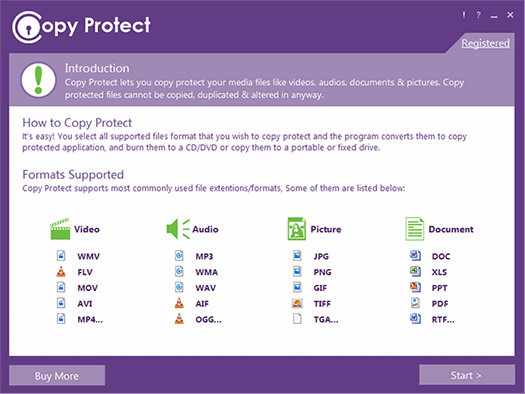
This supplied introduction screen lists media categories and example extensions. Treat it as orientation: verify the current release and the exact codecs, documents and target devices in your own test.
A manufacturer wants dealers to review training videos from distributed USB media before final release. Copy Protect may reduce straightforward copying from the source drive. It does not establish copyright ownership, create accessible captions, supply web DRM, guarantee compatibility, remotely revoke every package or prevent cameras and analog capture.
Run a verifiable release workflow
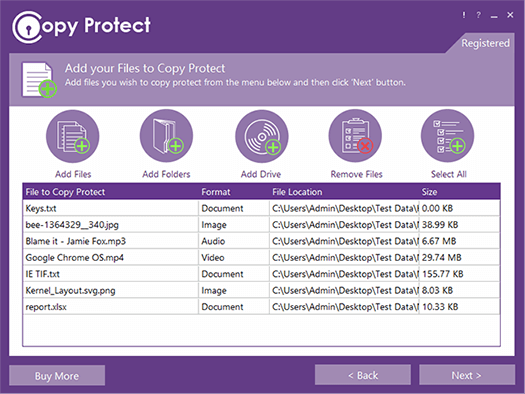
The file-selection screen belongs beside the test procedure because it shows which specific assets enter the package. Match this list to an approved manifest before conversion.
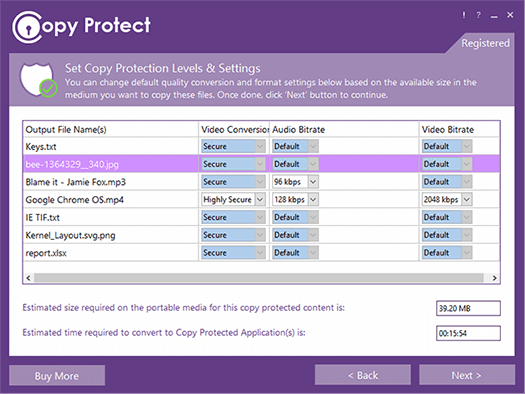
Bitrate and conversion controls can change playback quality and compatibility. Record the product version and chosen settings instead of assuming defaults are suitable.
- 01Review current official features and how-to documentation.
- 02Test supported formats and target Windows devices with non-sensitive sample content.
- 03Verify captions, documents, audio, navigation and source-drive behavior.
- 04Document residual capture, compatibility, revision and recovery limits.
- 05Compare the result with a managed training platform, secure portal or controlled physical-custody process.
Leave a record another coordinator can follow
The adoption note should identify tested product version, Windows baseline, media types, source drive, reviewer experience, observed restriction, residual risks, support owner, price checked date and exit plan.
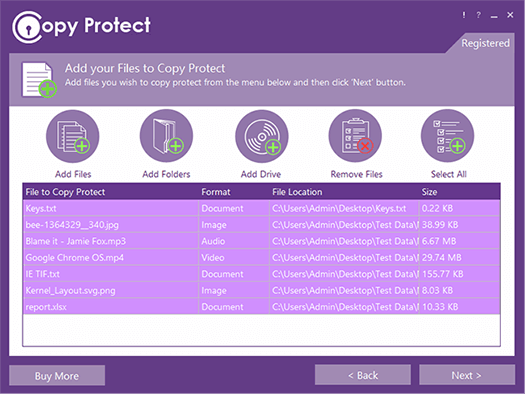
A selected-file view supports the release record, but it does not prove rights clearance, accessibility or the disposition of obsolete packages.
Pause and review when
- The business case depends on absolute anti-copy or screen-capture claims.
- Dealers require macOS, mobile, browser or unmanaged-device support that was not verified.
- The team needs remote analytics, revocation or identity management from an offline package.
A technical restriction is not complete control
Do not promise screen-capture prevention, web DRM or support for every format/device. Test only the workflow you intend to claim, preserve unrestricted authorized masters separately, and pair technology with rights, custody, versioning and support.
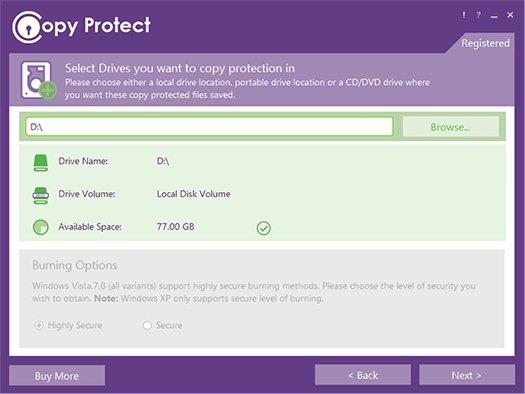
The destination-drive step is relevant to the product’s offline distribution model. Verify the final package from the actual media and device class intended for dealers.
Resolve these before release
Is Copy Protect endorsed for every dealer program?
No. It is a conditional option for a tested Windows offline-media workflow. The best solution depends on rights, accessibility, devices, support and control needs.
Do the official links imply sponsorship?
No. They identify the vendor’s current claims and instructions. This site is independent and does not imply NewSoftwares endorsement.
Sources for this decision
- NewSoftwares: Copy Protect features
- NewSoftwares: Copy Protect video, audio, picture and document how-tos
- Microsoft: file types supported by Windows Media Player
Links support the specific question on this page and do not imply endorsement. Copyright, contracts, platform policy and local law control the actual decision; seek qualified advice for legal conclusions.